
OmniKey
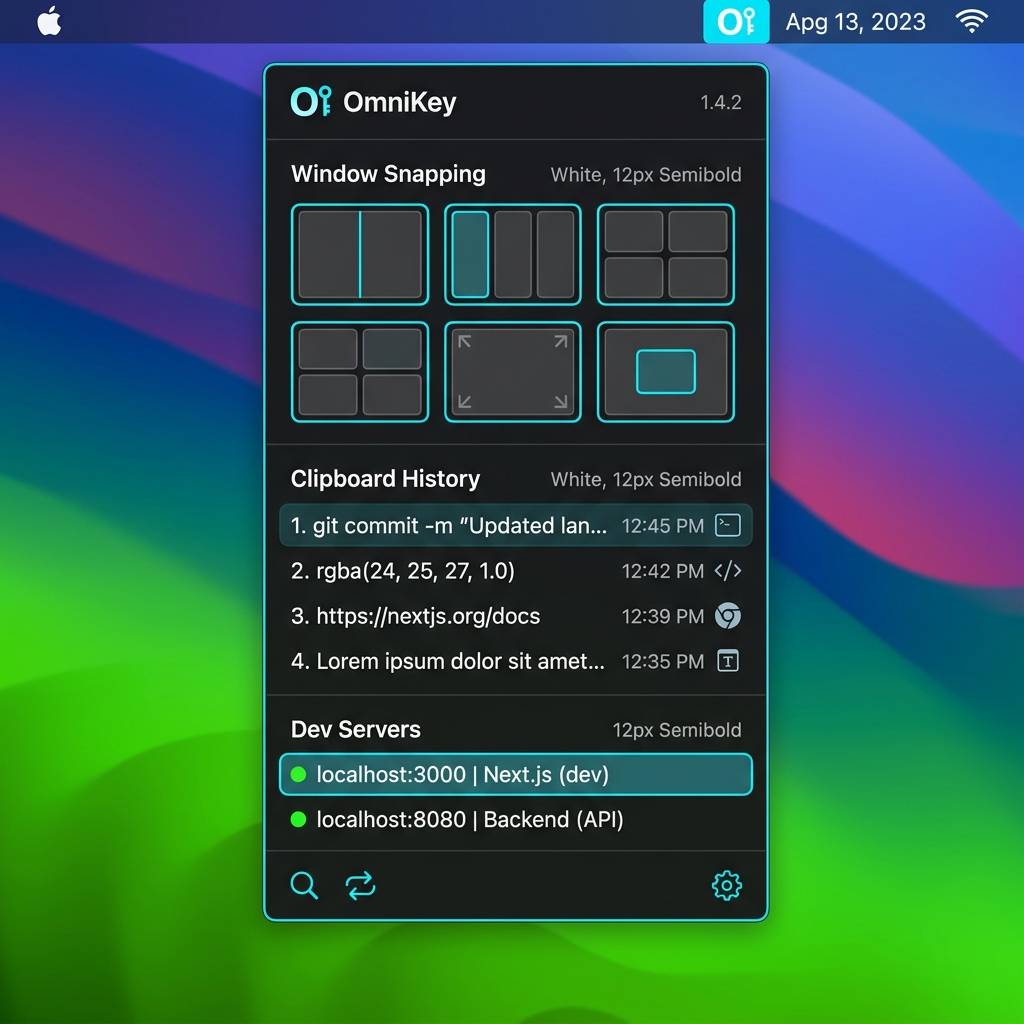
A unified Swift/AppKit command hub utility for macOS, combining window snapping, custom gestures, clipboard history, dev server monitoring, and on-device offline LLMs.
Project Overview & Objectives
OmniKey was conceived to solve utility fragmentation on macOS. Power users routinely run five or six distinct utility applications for simple window management, clipboard caching, short-keys, and dev port listening. Each background utility consumes separate system resources, requires independent macOS accessibility permissions, and frequently clashes on keyboard shortcut mappings. OmniKey consolidates these utility operations into a unified Swift daemon utilizing Apple's modern AppKit library. By writing the core event loops in native Swift and avoiding heavy Electron or Javascript wrappers, the background process runs continuously with less than 40MB of RAM. Additionally, we embedded a lightweight Local AI sandbox using the on-device Apple Neural Engine, enabling offline text explanation and code suggestion without transmitting sensitive clipboard data to external servers.
Core Tech Stack
- Swift
- AppKit
- Core Data
- LocalLLM
- Accessibility API
The Challenge
Power users running separate tools for window snapping, clipboard history, hotkeys, gesture monitoring, and AI assistants experience massive CPU/RAM overhead, disjointed shortcuts, and privacy risks from cloud telemetry.
Our Solution
Tilda designed and built OmniKey in native Swift and AppKit. Running entirely offline with zero telemetry, it consolidates all productivity utility engines into a single lightweight background process with a footprint of less than 40MB RAM, utilizing macOS Accessibility APIs for window management and the local Apple Neural Engine for offline AI assistance.
Interactive Device Preview
Data Flow & Pipeline Architecture
A technical overview of how data is ingested, processed, and routed through the system.
Event Listener
Captures system-wide keystrokes and gesture inputs via macOS Accessibility APIs.
Local Routing Engine
Decides whether to trigger window snapping, clipboard retrieval, port scanning, or the local AI context.
Apple Neural Engine
Loads local Llama weights entirely offline for immediate clipboard analysis and code autocomplete.
Development & Delivery Timeline
Key phases of the development sprint from initial database design to production rollout.
Core Daemon & Window Snapping
Initializing the AppKit daemon process and registering accessibility event handlers for instant window resizing.
Port Scanning & Clipboard Cache
Coding the background thread port scanner and integrating Core Data to store clipboard history securely.
Neural Engine AI Sandbox
Optimizing the on-device ML model execution using CoreML and building the SwiftUI overlay UI.
Sandboxing & Security Framework
Every digital product we engineer complies with modern security frameworks and operating system boundaries.
Window Snap Engine
Resizes and positions application frames on-screen using macOS Accessibility APIs.
TCP Port Listener
Scans and detects active local development servers and custom endpoints.
Local AI Sandbox
Runs fully offline semantic intelligence and code suggestions via on-device LLMs.